Learning how to program Vizio remote to your TV is simple when you follow the right steps. You can rapidly connect your remote using the TV button, auto pairing mode, or manual code entry, whether you’re syncing a universal remote, setting up a new Vizio Smart TV, or replacing an old one. Pairing guarantees uninterrupted control over Smart Cast features, power, volume, inputs, and apps. This tutorial explains how to pair your Vizio remote control, troubleshoot pairing issues, and reconnect the remote control if it stops working. Ideal for novices seeking a simple and quick setup.
Using a GE universal remote with your VIZIO TV? Find All GE Universal Remote Codes for VIZIO TV Here
Getting to Know Your Vizio Remote

There are various styles of Vizio remote controls, such as:
- Common IR Vizio remote controls
- Remotes for Vizio Smart TVs
- Universal remote controls for Vizio
- Remotes from third parties, such as GE, RCA, and ONN
- Although each one may program a little differently, the techniques are comparable.
Need the remote codes for your VIZIO TV? Get the Complete List of VIZIO TV Remote Codes
Most Frequently Used Vizio Universal Remote Codes
Here are the most popular 4 digit codes for Vizio TV in case you need them:
1758
0178
1756
1755
1017
These are compatible with GE, ONN, RCA, and other universal remote controls for Vizio TVs.
Want to control your VIZIO Soundbar too? Learn How to Use the VIZIO Sound Bar Remote
How to Set Up a Universal Remote Control Without Codes on a Vizio TV

If you prefer not to enter codes manually:
Method of Auto Programming
- On the remote, press TV.
- The Setup button should be held down until the light flashes.
- Continue pressing the Power button until the TV shuts off.
- To store the code, press Enter/OK.
- If you’ve misplaced your code list or are using remote controls such as:
- The GE universal remote
- The RCA TV remote
- Remote ONN
- Looking for everything about your VIZIO TV remote? Read Our Complete VIZIO TV Remote Guide
Configuring TV Apps with a Vizio Remote
A lot of users also inquire about how to manage:
- Web browser for Vizio TV
- Vizio TV cast
- Apps for streaming
- Buttons for volume, input, and menu
- Every button serves a purpose. Vizio remote button functionalities can be checked under Settings → Help.
- Having trouble with your VIZIO remote? Find Out Why Your VIZIO Remote Is Not Working and How to Fix It
Fixing the Non Working Vizio Remote

Try these easy solutions if your Vizio remote control isn’t working.
Looking for a replacement remote for your VIZIO TV? Check Out the Best VIZIO Replacement Remotes Here
Turn Off the Remote
Resetting your Vizio remote control:
- Take the batteries out.
- For ten seconds, hold down the Power button.
- Put in new batteries.
- Try programming once more.
- This is the simplest way to reset the remote control on your Vizio TV.
- Is your VIZIO remote control not working? Fix Your VIZIO Remote Control With These Easy Steps
Fix a Non Switching Vizio TV
If the white light on your Vizio TV blinks or flicks on and off, try:
- The TV should be unplugged from the power source.
- For 20 to 30 seconds, hold down the TV’s Power button (not the remote).
- Re plug it.
- Retry pairing the remote.
- Want to control your VIZIO TV from your phone? Download the VIZIO TV Remote App Today
This resolves problems like:
- The Vizio TV won’t turn on.
- The Vizio remote is not working.
- Incorrect input issues
- The remote disconnects itself
- Need help pairing your VIZIO remote to your TV? Learn How to Pair Your VIZIO Remote to Your TV
Without a Remote, How to Turn on a Vizio TV
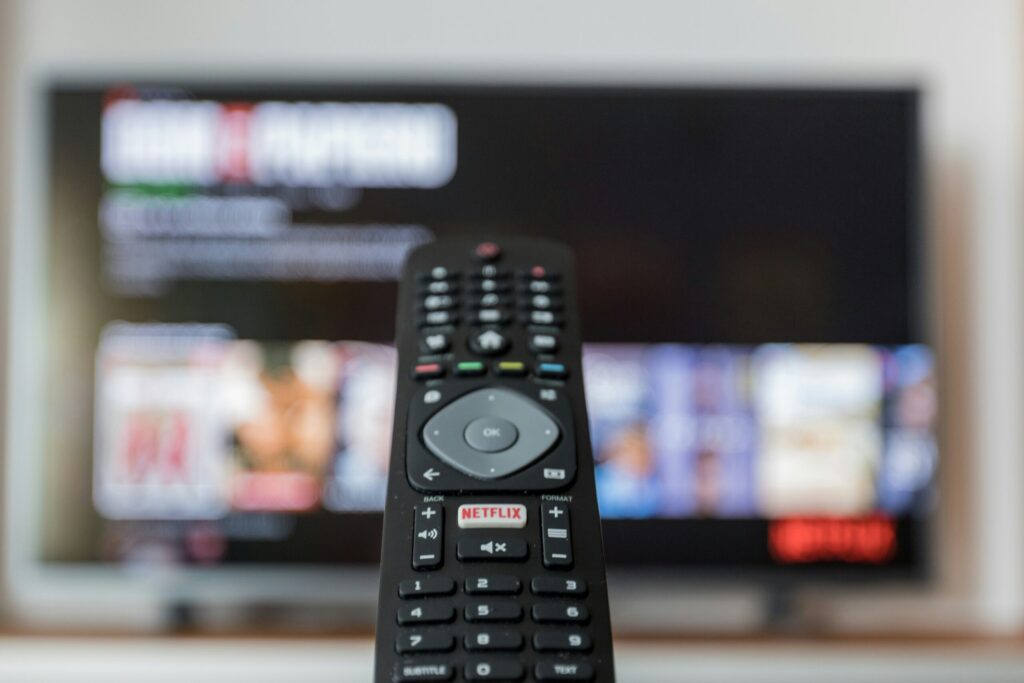
If the remote control is broken or missing:
On the TV’s side or back, press the Power button.
Utilise your phone’s Vizio remote app.
To operate the TV wirelessly, use SmartCast.
Want to control your VIZIO TV from your phone? Download the VIZIO TV Remote App Today
How to Connect GE, RCA, and Xfinity Remote Controls to Vizio TV
When attempting to pair a different remote control:
Universal Remote from GE
Enter GE codes, such as 0178 or 1758.
Vizio TV RCA Remote
Make use of 1017, 1758, or 11756.
Remote Codes for ONN TV
Try 3657 or 3519.
They all employ comparable manual code entry and auto scan techniques.
Not sure how to program your VIZIO remote? Follow Our Step-by-Step Guide to Program Your VIZIO Remote
Issues with the TV Remote? When to Get a New Vizio Remote Control

The remote control may occasionally be outdated or malfunctioning.
You might require a:
- Replacement of the Vizio remote
- Universal remote control compatibility
- Vizio remote app for smartphones
- A new remote control fixes problems such as:
- Not reacting buttons
- Issues with remote pairing
- The TV is not turning on.
- Slow SmartCast
- Need more DirecTV codes for your VIZIO TV? See the Complete DirecTV Remote Codes List Here
Frequently Asked Questions
What is the Vizio TV universal remote code?
The four digit codes that are most frequently used are 1017, 0178, 1758, 1756, and 1755.
Is it possible to use any Vizio TV with any Vizio remote control?
Older Vizio remote controls may not be compatible with SmartCast TVs; however, the majority of them operate with all models.
How can I connect my TV to my Vizio remote control?
To verify, hold the TV button while the LED flashes, enter a code, and then push Power.
How can I reset my Vizio remote?
Remove the batteries, hold the Power Button for ten seconds, and then reinsert the batteries.
How can a universal remote be programmed to a Vizio TV without a code?
Employ auto scan pairing (hold Setup, continuously push Power, and save when the TV shuts off).
What happens if my Vizio TV turns on and then immediately shuts off?
Unplug the TV and hold down the Power button for 30 seconds to reset it.
In conclusion
Once you know the right procedures and universal codes, programming a Vizio remote is simple. Using code entry or auto scan techniques, you can easily sync any remote control, including those from Vizio, GE Universal, RCA, or ONN.
For quicker control, consider using a Vizio remote app or a replacement if your current remote is outdated, broken, or difficult to pair.Using DirecTV with your VIZIO TV? Get the DirecTV Remote Codes for VIZIO TV
You can confidently program any Vizio remote and resolve typical issues with the help of the instructions above.

Sidra is a skilled content writer with over 9 years of experience, creating clear and helpful articles on a wide range of topics. Sidra is also well-known for her knowledge of remote controls, codes, and setup guides, helping thousands of people with simple and reliable solutions. Her goal is to combine expert content writing with practical knowledge, making information easy to understand and useful for everyone. In her free time, she enjoys exploring new technology and sharing helpful tips with the community.
