
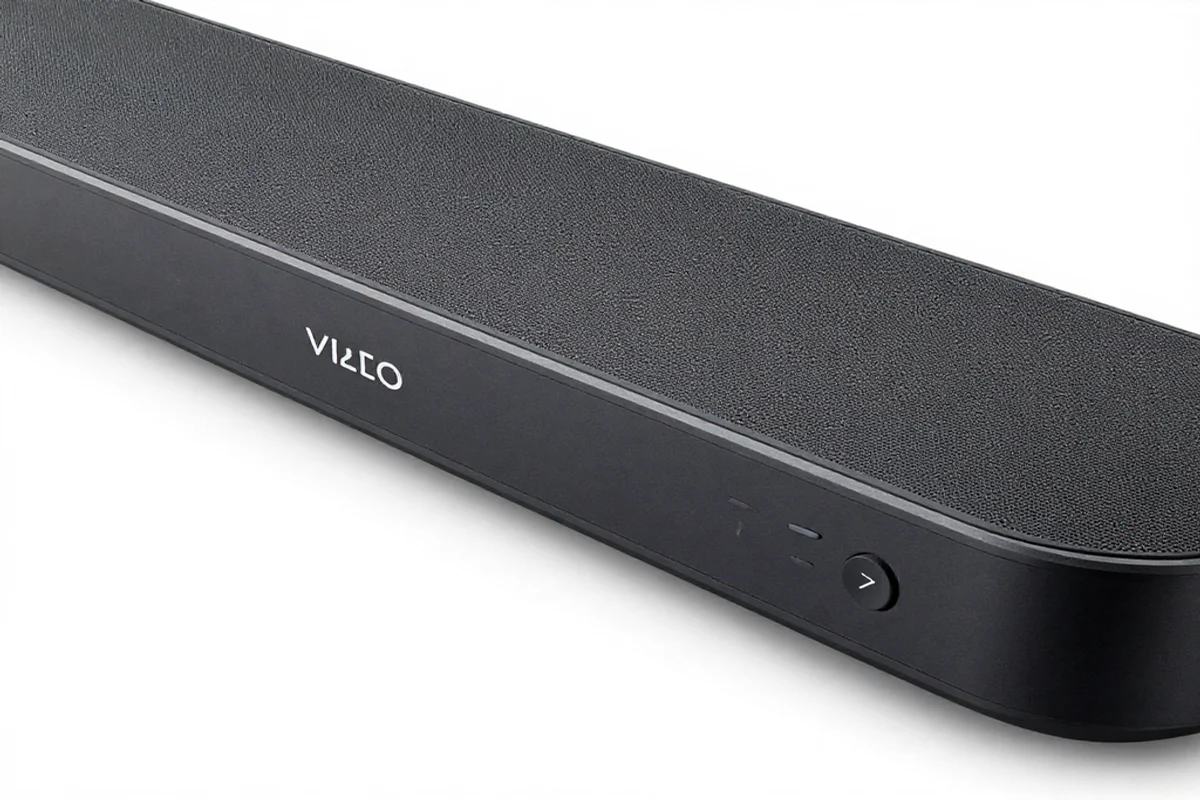
Find the perfect Vizio sound bar remote with easy setup steps, compatibility tips and top replacement options to control your sound system effortlessly.
If you own a VIZIO soundbar and are having trouble setting up or using your vizio sound bar remote you have come to the right place. Whether you need to pair your remote, program it to control other devices, or troubleshoot a problem this complete guide covers everything you need to know about your vizio sound bar remote from start to finish.
What is a Vizio Sound Bar Remote?
A vizio sound bar remote is the dedicated controller that comes with your VIZIO soundbar. It allows you to control all the basic and advanced functions of your soundbar including power, volume, input switching, sound modes, and bass and treble adjustments. Depending on the VIZIO soundbar model you own your remote may be a basic infrared remote or a more advanced Bluetooth remote.
For a complete overview of all VIZIO remote types check out our complete Vizio TV Remote guide here
Why is Your Vizio Sound Bar Remote Not Working?
Before jumping into fixes it helps to understand what might be causing your vizio sound bar remote to stop working. Here are the most common reasons:
- Dead or weak batteries
- Lost pairing connection between the remote and soundbar
- Signal interference from other electronic devices
- Dirty or stuck buttons
- Outdated soundbar firmware
- Physical damage to the remote
How to Set Up Your Vizio Sound Bar Remote
Setting up your vizio sound bar remote for the first time is quick and straightforward. Follow these simple steps to get started.
Insert the Batteries
Remove the battery cover from the back of the remote and insert two fresh AA batteries. Make sure they are placed in the correct direction as shown inside the battery compartment.
Power On Your Soundbar
Point the remote directly at the IR sensor on the front of your VIZIO soundbar and press the power button to turn it on.
Pair the Remote
If the remote does not respond automatically hold the pairing button on the remote for five to ten seconds until the LED light blinks and the soundbar confirms the connection.
Need help pairing your remote? Learn How to Pair Your Vizio Remote to Your TV and Soundbar here
How to Program Your Vizio Sound Bar Remote
If you want to use your vizio sound bar remote to control your VIZIO TV and soundbar together you will need to program it using the correct remote codes.
Steps to Program Your Vizio Sound Bar Remote
Press and hold the Setup button on your remote until the LED light blinks twice. Enter the correct device code for your VIZIO TV or other device using the number buttons. Press the power button to test and confirm the device responds correctly.
Want a complete step by step programming guide? Follow our How to Program Vizio Remote guide here
Vizio Sound Bar Remote Codes
To program your vizio sound bar remote or a universal remote to work with your VIZIO soundbar you will need the correct remote codes. Here are the most commonly used codes:
4 Digit Vizio Sound Bar Remote Codes
- 0660
- 0784
- 1346
- 1517
- 1756
- 0556
- 0883
- 1292
5 Digit Vizio Sound Bar Remote Codes
- 20583
- 21517
- 22261
- 31517
- 32183
- 11756
- 10178
- 12049
Find More Remote Codes
For a complete list of all Vizio remote codes check out these helpful resources:
- Complete Vizio TV Remote Codes List
- GE Universal Remote Codes for Vizio TV
- DirecTV Remote Codes for Vizio TV
- DirecTV Remote Codes for Vizio TV — Full List
Use a Universal Remote With Your Vizio Soundbar
If you have lost your vizio sound bar remote or prefer to control all your devices with a single remote a universal remote is a great and affordable option. Universal remotes are easy to set up and fully compatible with VIZIO soundbars.
Why Choose a Universal Remote
Universal remotes can control multiple devices including your VIZIO soundbar, TV, cable box, and DVD player all from one convenient remote. This eliminates the need to juggle multiple remotes and makes your entertainment setup much simpler.
Find the Best Universal Remote for Vizio TV and Soundbar here
Control Your Vizio Soundbar With Your Phone
If you have lost or damaged your vizio sound bar remote your smartphone is the perfect backup solution. The free Vizio TV Remote App lets you control your VIZIO soundbar and TV directly from your phone without needing any additional hardware.
How to Get Started With the Vizio TV Remote App
Download the Vizio SmartCast App from the App Store or Google Play. Connect your phone to the same WiFi network as your VIZIO soundbar. Open the app, select your soundbar from the device list, and start controlling it instantly.
Read our full Vizio TV Remote App guide here
How to Fix Vizio Sound Bar Remote Not Working
Is your vizio sound bar remote not responding? Here are the most effective quick fixes you can try right now.
Replace the Batteries
Remove the old batteries and insert a fresh pair of AA batteries. Make sure they are placed in the correct direction. This resolves most vizio sound bar remote issues instantly and is always the first thing to try.
Clean the Remote Buttons
Use a soft slightly damp cloth to wipe down the surface of the remote. Pay close attention to the areas around the buttons where dirt and oil tend to accumulate. Allow the remote to dry completely before reinserting the batteries.
Re-Pair the Remote
Hold the pairing button on your vizio sound bar remote for five to ten seconds to re-establish the connection with your soundbar. Make sure you are pointing the remote directly at the soundbar sensor with no objects blocking the path.
Restart Your Soundbar
Unplug your VIZIO soundbar from the wall outlet, wait thirty seconds, and plug it back in. This clears temporary software errors that may be preventing the soundbar from responding to the remote.
Update Your Soundbar Firmware
Outdated firmware can cause communication issues between your vizio sound bar remote and your soundbar. Check for firmware updates by visiting the official VIZIO support page at vizio.com/en/support and following the update instructions for your specific soundbar model.
For more detailed troubleshooting help check out these guides:
Get a Vizio Sound Bar Remote Replacement
If your vizio sound bar remote is physically damaged beyond repair it is time to get a replacement. Here are the best places to find one.
Official Vizio Website
The best place to buy a genuine vizio sound bar remote replacement is directly from the official VIZIO website. Visit vizio.com/en/accessories to find the exact remote for your soundbar model.
Amazon
Amazon offers a wide selection of genuine and compatible vizio sound bar remote replacements at competitive prices with fast delivery. Visit Amazon Vizio Soundbar Remote section to browse all available options.
Walmart
Walmart carries an affordable selection of vizio sound bar remote replacements both in store and online. Check out Walmart Vizio Soundbar Remote options for the latest deals.
Looking for a general Vizio remote replacement? Find the Best Vizio Replacement Remote here
How to Prevent Vizio Sound Bar Remote Problems
Taking care of your vizio sound bar remote properly will help it last longer and perform better. Here are some simple tips to follow:
Simple Maintenance Tips
- Replace batteries every three to four months
- Keep the remote clean and dry at all times
- Avoid dropping the remote or placing heavy objects on it
- Store the remote in a safe place when not in use
- Keep your VIZIO soundbar firmware updated regularly
Keep Your Soundbar Software Updated
Always keep your VIZIO soundbar firmware up to date to prevent compatibility issues with your vizio sound bar remote. Visit the official VIZIO support page at vizio.com/en/support regularly to check for the latest firmware updates for your soundbar model.
Conclusion
Your vizio sound bar remote is an essential part of your home entertainment experience. Whether you need to set it up for the first time, program it to control your TV and soundbar together, troubleshoot a problem, or find a replacement this guide has everything you need. For more expert remote guides troubleshooting tips and complete setup instructions visit Remoteversity.com
Frequently Asked Questions
How do I pair my Vizio sound bar remote to my soundbar?
Hold the pairing button on the remote for five to ten seconds until the LED blinks and the soundbar confirms the connection. Learn more here
Why is my Vizio sound bar remote not working?
The most common causes are dead batteries, lost pairing connection, or dirty buttons. Replace the batteries, clean the remote, and re-pair it with your soundbar. Read our full fix guide here
Can I use a universal remote with my Vizio soundbar?
Yes. A universal remote is a great and affordable option for controlling your VIZIO soundbar. Find the best universal remote for Vizio here
What are the remote codes for a Vizio soundbar?
Common codes include 0660, 1756, 20583, and 11756. Get the complete Vizio TV remote codes list here
Can I control my Vizio soundbar with my phone?
Yes. Download the free Vizio TV Remote App from the App Store or Google Play for instant control of your VIZIO soundbar from your smartphone. Read the full guide here
Where can I buy a Vizio sound bar remote replacement?
You can buy a genuine replacement from the official VIZIO website, Amazon, or Walmart. Find more options here

Sidra is a skilled content writer with over 9 years of experience, creating clear and helpful articles on a wide range of topics. Sidra is also well-known for her knowledge of remote controls, codes, and setup guides, helping thousands of people with simple and reliable solutions. Her goal is to combine expert content writing with practical knowledge, making information easy to understand and useful for everyone. In her free time, she enjoys exploring new technology and sharing helpful tips with the community.
