
Introduction
Is your Vizio remote control not working? Find out how to get your Vizio TV or sound bar remote working again with quick fixes, reset instructions, and troubleshooting advice. Go to Remoteversity.com
You’re not alone if your Vizio remote control isn’t working. This frustrating issue impacts many Vizio users, including those whose voice remote is unresponsive, whose soundbar remote control is malfunctioning, or whose Vizio smart TV remote is not functioning properly.
The good news? You can solve the majority of issues at home without having to buy a new remote control straight away.
You may discover comprehensive, step by step instructions on how to pair remote controls for all Vizio models, reset your TV, and troubleshoot Vizio remote controls at Remoteversity.com.
To resume working remotely, let’s examine the root reasons and the most effective fixes.
Common Reasons Why Your Vizio Remote Control Is Not Working

Dead or Weak Batteries
When a Vizio remote stops working, weak or dead batteries are the most frequent cause. The TV cannot receive a strong enough signal when the batteries run out of juice. Always start with brand new batteries for both.
Please inspect the battery compartment for any rust and clean it gently if your Vizio remote continues to have issues after replacing the batteries.
Obstructed IR Sensor on the TV or Remote
The infrared (IR) signal used by Vizio remote controls necessitates a direct line of sight to the TV sensor. Dust, sunlight, or anything in front of the television may block this signal. Verify that nothing is blocking your Vizio TV remote’s infrared path to the TV’s receiver.
Remote Damage or Moisture Exposure
The internal circuit of your remote control may be harmed if it has been dropped or exposed to dampness. Your Vizio remote may become unresponsive, or only some of its buttons may function. Try opening the remote control and using a dry microfiber towel to gently clean the buttons
Pairing or Connection Loss (Bluetooth Remotes)
It may connect via Bluetooth if you have a Vizio voice remote or Smart Cast. Your Vizio remote may stop operating after a firmware upgrade or TV reset if the pairing is lost. We’ll talk about how to manually repair it below.
Software or Firmware Glitches in Vizio Smart TVs
Occasionally, the TV’s software rather than the remote is the problem. The Vizio TV control may become unresponsive due to bugs or unsuccessful updates. This is frequently fixed by restarting or changing the firmware on your TV.
How to Fix Vizio Remote Control Problems
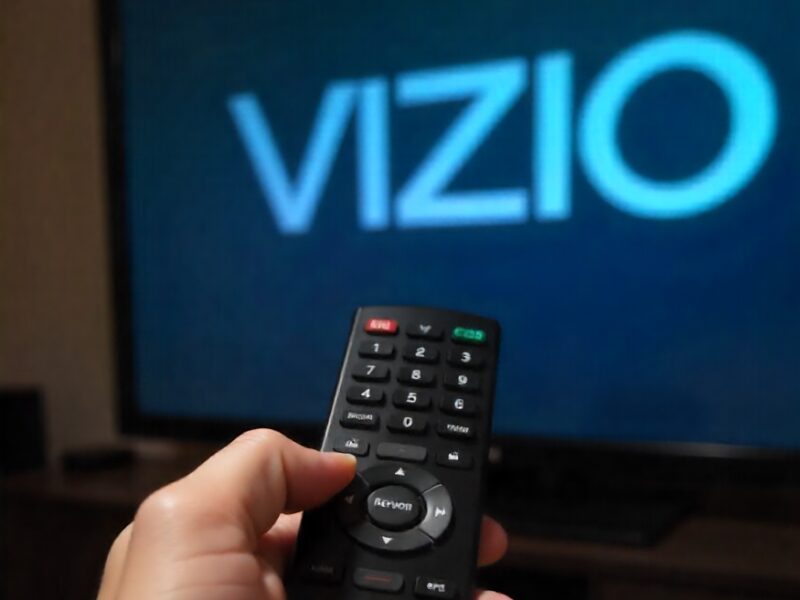
Step 1 – Check and Replace the Batteries
Take out the old batteries and put in brand new, premium ones. Ensure the positive and negative ends are aligned correctly. After replacing them, test your remote.
Step 2 – Inspect and Clean the IR Sensor
Use a gentle cloth to wipe the TV’s sensor and the remote’s infrared transmitter (the front tip). Do not directly use liquid cleansers. Things in front of the TV should be cleared.
Step 3 – Reset the Vizio Remote Control
Unresponsive behavior can occasionally be fixed by resetting the remote.
The Correct Way to Reset a Vizio Remote Control
Take out the two batteries.
Hold the power button down for ten seconds.
Reinstall the batteries and conduct another test.
This resolves small bugs and frequently resolves Vizio remote control malfunctions.
Steps to Reset a Vizio Remote Control Properly
After unplugging the TV from the wall, give it a minute or more. After ten seconds of holding down the power button, plug the TV back in. By resetting the internal hardware, this can resolve issues with the Vizio smart TV remote not working.
Step 4 – Power Cycle Your Vizio TV
Take the TV off the wall and wait at least a minute. Before plugging the TV back in, press and hold the power button for 10 seconds. This resets the internal hardware and can fix problems with the Vizio smart TV remote not working.
Step 5 – Re Pair Your Vizio Smart Remote (Bluetooth Models)
You might need to pair your Vizio Smart Cast or voice remote again if you use it:
- To pair your remote, go to Settings > Remotes & Devices on your TV.
- To reconnect your Bluetooth remote, follow the directions on the screen.
- If pairing doesn’t work, try unpairing and then pairing again after a firmware upgrade.
Vizio Smart TV Remote Not Working Specific Fixes
Vizio Smart Cast Remote Not Functioning
Close and reopen the Smart Cast app on both your TV and phone. Make sure that both devices are connected to the same Wi Fi network. Reinstall the app and pair the Vizio Smart Cast remote again if it isn’t working.
Vizio Voice Remote “Link” Button Not Working
If the Link button doesn’t work, try restarting the remote. Also, look for new firmware upgrades on your TV because old software can make buttons not work.
Vizio Remote Pairing Lost After Firmware Update
Your Vizio remote won’t automatically pair after updates. Go to the TV settings and start the manual pairing process again. Take out the batteries and wait five minutes before attempting again.
Vizio Sound Bar Remote Control Not Working What to Do
Make sure the sound bar is plugged in and set to the right input. If the Vizio sound bar remote isn’t working, try using the buttons on the device to control it.
Check Power and Input Settings
IR transmissions are what sound bar remotes use. Check to see if anything is in the way. Use a phone camera to check the Vizio remote IR signal (the LED should flash) and clean the front sensor of the remote.
Ensure Line of Sight and IR Functionality
IR transmissions are what sound bar remotes use. Check to see if anything is in the way. Use a phone camera to check the Vizio remote IR signal (the LED should flash) and clean the front sensor of the remote.
Reprogram the Remote or Use a Universal Remote
If your Vizio sound bar remote still doesn’t function, you can configure a Vizio universal remote to work with your Vizio TV or get a new one that works with your sound bar.
Advanced Troubleshooting Tips
Look at the Vizio Remote to see if it uses IR or Bluetooth.
Check IR vs Bluetooth on Vizio Remote
There are different kinds of Vizio remotes. Some use infrared, although newer devices use Bluetooth. Knowing which one you have makes it easier to figure out what’s wrong.
Test the Remote Using a Smartphone Camera
Press any button on the remote while pointing it at your phone camera. The IR signal works if you observe a light blinking. If not, the IR LED on your remote may be broken.
Vizio Remote Works in Close Range But Not Far Away
If your Vizio remote works well up close but not far away, the IR strength is low. Change the batteries and clean the area around the emitter. Also, look for surfaces that reflect light that can scatter the signal.
Factory Reset Your Vizio TV (As a Last Resort)
If nothing else works, reset your TV to factory settings. To reset the TV to factory settings, go to Menu > System > Reset & Admin > Reset TV to Factory Defaults. This fixes any software flaws that are making the Vizio smart TV remote not work.
When to Replace Your Vizio Remote
- The buttons are broken.
- There is no IR signal that can be seen by a camera.
- The remote doesn’t work after several resets.
Best Vizio Remote Replacement Options
You can buy real replacements online or utilize third-party models that work with Vizio Smart TVs and sound bars. Always check the model number before you buy.
Using a Vizio Universal Remote with Vizio TV
If your remote can’t be fixed, it’s easy to program a Vizio universal remote. Go to Remoteversity.com to get the necessary configuration and programming codes.
How to Troubleshoot Vizio Remote Like a Pro
- Change the batteries
- Clean the sensors
- Reset the TV and the remote.
- Reconnect Bluetooth remotes
- Look for updates to your software.
Pro Tip: Keep Your Remote Updated and Clean
Cleaning it often keeps dirt from getting stuck in the buttons. To avoid connectivity problems, keep your voice remotes up to date.
How Vizio TV Remote Control Works (IR vs Bluetooth)
Vizio TV remote controls work using two different technologies: Infrared (IR) and Bluetooth. Understanding which type of remote you have can help you troubleshoot problems more effectively.
Infrared (IR) Vizio Remote
An IR remote sends signals directly to the TV’s infrared sensor. For it to work properly:
- The remote must be pointed toward the TV
- There should be no objects blocking the sensor
- The TV sensor should be clean and visible
If the IR sensor is blocked, dirty, or the batteries are weak, the remote may stop responding even though it appears to be working.
Bluetooth Vizio Remote
Bluetooth remotes can connect to the TV without needing a direct line of sight. People often use these remotes with Vizio SmartCast TVs.
If a Bluetooth remote stops working, the issue is frequently connected to:
- Lost pairing
- Software glitches
- Interference from other wireless devices
Knowing whether your Vizio remote is IR or Bluetooth helps you apply the correct troubleshooting steps.
Power Cycle Your Vizio TV and Remote (Most Effective Fix)
Power cycling is one of the most effective ways to fix Vizio remote control issues. It clears temporary bugs and refreshes the connection between the TV and the remote.
How to Power Cycle a Vizio TV and Remote:
- Turn off the TV and unplug it from the power outlet
- Remove the batteries from the remote
- Wait for 60 seconds
- Press and hold the TV’s power button for 10 seconds
- Reinsert the batteries and turn the TV back on
This process resets internal memory and often restores full remote functionality.
Check and Clean the Vizio TV Remote Sensor
Sometimes the remote is not the problem the TV sensor is.
Tips to Check the Sensor:
- Clean the front of the TV with a soft, dry cloth
- Make sure nothing is blocking the sensor area
- Test the remote using your phone’s camera
(You should see a flashing light when pressing a button)
If the remote emits a signal but the TV does not respond, the issue is likely with the TV sensor or internal software.
Update Vizio TV Software (SmartCast TVs)
Outdated software can cause remote connection problems, especially on SmartCast TVs.
How to Update Vizio TV Software:
- Press the Menu button on the TV
- Go to System → Check for Updates
- Install any available updates
Keeping your TV software up to date improves compatibility and prevents remote related bugs.
Use the Vizio SmartCast Mobile App as a Temporary Remote
If your physical remote is not working, the Vizio SmartCast Mobile App is a reliable alternative.
Benefits of Using the SmartCast App:
- Free and official Vizio app
- Works over Wi-Fi
- Allows control of power, volume, input, and settings.
- You can use the app to access TV settings and repair your remote if needed.
When Should You Replace Your Vizio Remote Control?
If none of the troubleshooting steps work, your remote may be physically damaged.
Consider replacing the remote if:
- Buttons do not respond at all
- The battery compartment is loose
- The remote has water or liquid damage
- The IR signal no longer works
Always check your TV model number before purchasing a replacement remote
Conclusion
Don’t worry if your Vizio remote control isn’t working. Most problems are easy to fix, such batteries that are dead batteries, sensors that are obstructed, or pairing mistakes. You should be able to correct the issue in a few minutes if you follow the procedures above.
Remoteversity.com is your go to source for remote setup, programming, and fixing remote control problems. Always visit it for more helpful lessons and troubleshooting suggestions.
FAQs Fixing Vizio Remote Control Problems
Why isn’t my Vizio remote working?
A Vizio remote frequently stops working because the batteries are dead, the IR sensor is obstructed, there are problems with Bluetooth connectivity, or there are transitory bugs in the TV software. In most cases, changing the batteries and turning the TV off and back on again will fix the problem.
How do I get my Vizio TV remote back to normal?
Take out the batteries from a Vizio remote and wait 60 seconds to reset it. Unplug the TV, hold down the power button for 10 seconds, put the batteries back in, and turn the TV back on.
Why is my Vizio remote flashing but not working?
If your Vizio remote is blinking but not working, it usually implies that the remote is sending a signal but the TV isn’t getting it. Low batteries, difficulty with pairing, or a blocked TV sensor can all cause this.
How can I connect my Vizio Bluetooth remote to my TV?
Press and hold the OK and Back buttons on your Vizio TV for 5 to 10 seconds after turning it on. Follow the steps on the screen until the pairing is done.
Can I use my phone to control my Vizio TV?
You can utilize the Vizio SmartCast Mobile App on both Android and iOS devices. You may use the app to control your TV’s power, volume, inputs, and settings without having to use a remote.
Why can I just change the volume on my Vizio remote?
This problem frequently happens because of difficulty with choosing the right input or pairing the remote. Change the input on the TV by hand and then repair the remote. Another way to fix this problem is to update the firmware on your TV.
How can I check to see whether my Vizio remote is broken?
Point your smartphone camera at the remote and press a button. The remote is operating if you see a light that flashes. The remote might be broken if there is no light.
Why isn’t my remote control working with my Vizio TV?
Your TV might not respond because the software is frozen, the sensors are blocked, or there are faults in the system. The problem is generally fixed by turning the TV off and on again and checking for software upgrades.
Do Vizio TVs work with universal remotes?
Yes, most universal remotes may be used with Vizio TVs, but you have to program them with the right Vizio remote codes. Before you buy, always check to see if it works with your device.
When is it time to get a new Vizio remote?
If your Vizio remote doesn’t get an IR signal, the buttons don’t work, it has water damage, or the battery compartment is loose, you should get a new one. In these situations, fixing the remote frequently doesn’t work.

Sid is a skilled content writer with over 9 years of experience, creating clear and helpful articles on a wide range of topics. Sid is also well-known for her knowledge of remote controls, codes, and setup guides, helping thousands of people with simple and reliable solutions. Her goal is to combine expert content writing with practical knowledge, making information easy to understand and useful for everyone. In her free time, she enjoys exploring new technology and sharing helpful tips with the community.
