Colorways universal remote not working? Before you assume the remote is faulty, it is worth knowing that most of these faults are not faults at all. On a budget universal remote the commonest problem by far is a code that half works, and it looks exactly like a broken remote.
This guide starts with a thirty second test that tells you whether the remote is even sending a signal, because that one answer saves you working through fixes that were never going to help.
Step 1: Colorways universal remote not working, or just the wrong code?
You need your phone and half a minute.
A Colorways remote talks to your TV with infrared light, which your eyes cannot see. Your phone camera can.
- Open the camera app on your phone
- Point the front tip of the remote at the camera lens
- Press and hold any button
- Watch the phone screen, not the remote
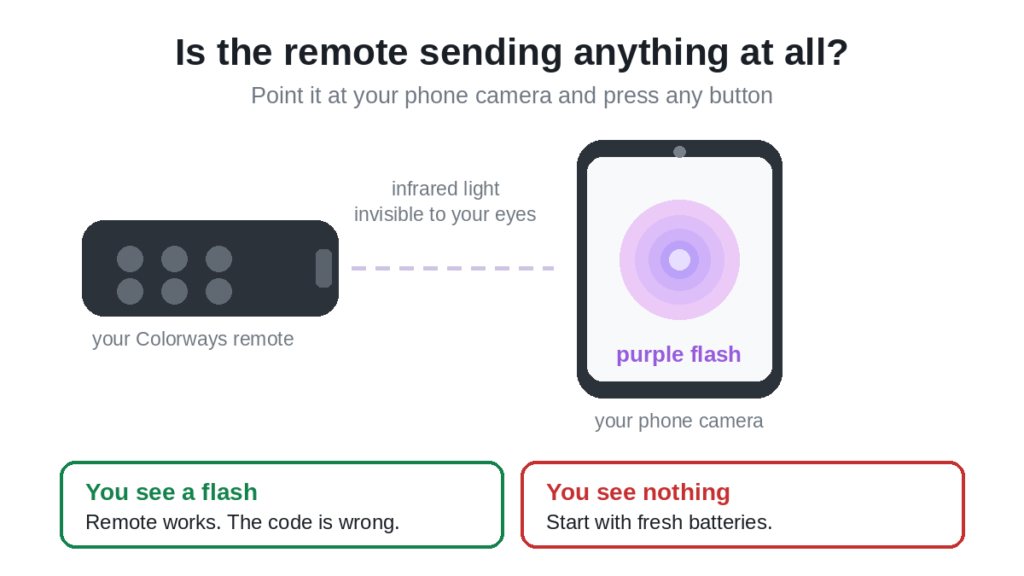
If you see a faint purple or white flash, the remote is alive and transmitting. Your problem is the programming, not the hardware. Skip to Step 3.
If you see nothing, the remote is not transmitting at all. Go to Step 2.
One tip. If your phone has more than one camera, use the front facing selfie camera. Some newer phones put an infrared filter over the main rear camera, which blocks exactly the light you are trying to see.
Step 2: Batteries and contacts
If nothing showed on the camera, this is almost always why.
Replace the batteries rather than testing them. A battery can read as fine on a tester and still fail to drive the infrared LED, which needs a short sharp burst of current every time you press a button. This is why a remote can work from very close up and do nothing from the sofa.
- Slide off the back cover
- Take both batteries out
- Fit a fresh pair from a sealed pack, not from a drawer
- Check the plus and minus ends against the markings inside
Use both batteries from the same pack. Mixing an old one with a new one gives you the performance of the old one.
While the compartment is open, look closely at the metal contacts. Budget remotes use thinner spring contacts than branded ones, and they lose tension sooner. If a battery can be wobbled in its slot, bend the spring gently outwards with a fingernail so it grips properly.
If you see white or green powder, that is corrosion from a leaked battery. Clean it with a cotton bud and a little white vinegar, let it dry completely, then try again. Heavy corrosion usually means the remote is finished.
Step 3: The code that half works
This is the single commonest reason a Colorways remote appears broken, and it catches almost everybody.
Universal remotes do not recognise brands. They send infrared patterns, and different manufacturers reuse the same patterns. So a code meant for one brand often operates part of another brand’s TV. You enter a code, the TV switches off, you assume you are finished, and two days later you discover the volume button has never worked.
That is not a broken remote. That is the wrong code.
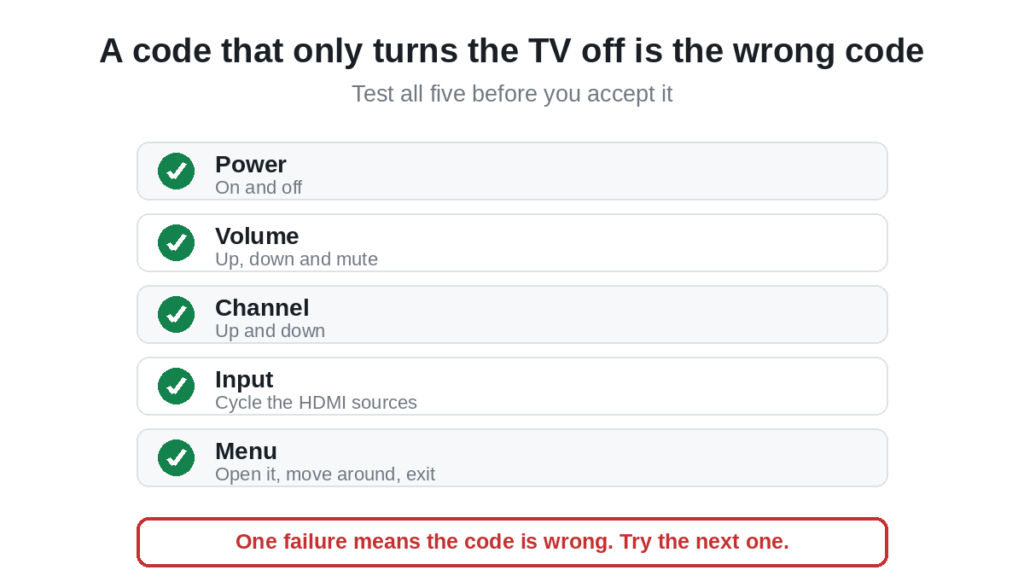
After entering any code, test all five of these before you accept it:
- Power. On and off.
- Volume. Up, down and mute.
- Channel. Up and down. Works only through an aerial or a coaxial input, not inside a streaming app.
- Input or Source. Cycle through the HDMI inputs.
- Menu. Open it, move with the arrows, then exit.
If any one of those does nothing, the code is wrong. Go back to the list and try the next one. Our Colorways remote setup guide has the full code list by brand.
Be prepared to work down the list. On a budget remote it is normal to try five or six codes before one passes all five tests.
Step 4: Check you are in the right device mode
A universal remote controls several devices, and it only sends commands for whichever one it is currently set to.
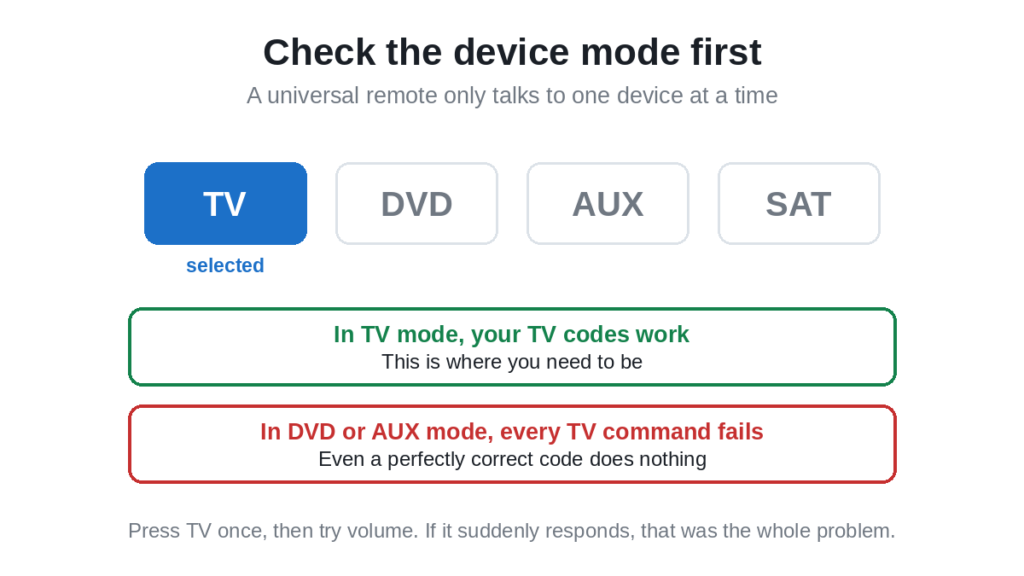
If the remote is sitting in DVD or AUX mode, every TV command fails, including correct ones. The remote looks dead, and nothing you do to the code will change that.
Press the TV device button once, then try volume. If the remote suddenly responds, that was the whole problem.
This also explains an odd symptom people report, where the remote works one day and not the next. A device button pressed by accident, often while the remote was down the side of the sofa, is usually behind it.
Step 5: Clear the path to the TV sensor
Infrared needs line of sight. The sensor on most TVs is a small dark window on the lower bezel, usually bottom right or bottom centre.
Things that block it:
- A soundbar sitting in front of the bottom edge of the screen
- A games console or box on the shelf below
- A plant, a photo frame, anything on the stand
- The protective plastic film, if the TV is new and nobody peeled it off
- A glass cabinet door, which weakens the signal considerably
Stand directly in front of the TV, within about three metres, and aim at the bottom of the screen. If it works from there but not from your seat, you have found it.
Strong afternoon sunlight falling on the sensor can also drown out an infrared signal. If the remote only misbehaves at one time of day, that is why.
Step 6: Reset the remote
This clears any stored programming and releases buttons that are stuck down.
- Take the batteries out
- Press and hold the power button for sixty seconds, with the batteries still out
- Press every other button once, including the ones you never use
- Put fresh batteries back in
- Programme it again from scratch
Step three matters more than it looks. If a button is held down even slightly by dust or a spilled drink, the remote transmits that one command continuously and ignores everything else you press. A volume button stuck down is why some people find the volume creeping up on its own.
Step 7: Let the remote find the code itself
If no code in the list works, auto search tests codes that are not printed anywhere, including ones added later.
- Switch the TV on by hand, using the button on the set
- Press and hold Setup until the indicator light stays on steadily
- Press the TV device button
- Press and hold Power, or tap the up arrow repeatedly, depending on your model
- The remote now sends one code every second or two. Keep pointing it at the TV
- The instant the TV switches off, press Enter or OK to lock it in
This takes patience and you have to watch the screen the whole time. Miss the moment and the remote carries on past the right code, and you start again.
Then run the five tests from Step 3. Auto search finds a code that controls power, which is not always the code that controls everything. Our guide to programming any remote without codes covers this method in more detail.
Step 8: Check the button actually applies
Sometimes the remote is fine and the button simply does not do anything in that situation.
- Channel up and down only work through an aerial or a device on the coaxial input. They do nothing inside Netflix or YouTube.
- Volume may be going to a soundbar rather than the TV, if the TV speakers are switched off in the audio settings.
- Play and pause work inside apps, not on live TV through a cable box.
- Smart or app buttons on a budget universal remote often do nothing on any TV, because they were never mapped.
Step 9: Test the remote somewhere else
Take the remote to another TV of a brand that is in the code list, and programme it there. Two minutes, and it settles the question completely.
If it works on the other TV, the remote is fine and the problem is your TV’s sensor or your code. If it fails there too, the remote itself has gone.
When it is time to replace it
Budget universal remotes are not built to last, and there is a point where more effort is wasted effort. Replace it when:
- The phone camera test shows nothing even with fresh batteries
- The battery contacts are heavily corroded
- Several buttons feel mushy or do not spring back
- It fails on a second TV as well
When you buy again, consider a remote made for your TV brand rather than another universal. A brand specific replacement needs no codes at all, and the app buttons actually work. If you prefer another universal, our list of universal TV remote control codes covers every major brand, and our picks for the best universal remotes may help you choose.
Frequently asked questions
Why does my Colorways remote turn the TV on but nothing else works?
You have a partial code match. Universal remotes send infrared patterns rather than recognising brands, and different manufacturers share patterns, so a code can operate power and nothing else. Go back to the code list and try the next one, then test all five functions.
How do I know if a Colorways remote is actually broken?
Point it at your phone camera and press a button. A faint purple flash on the phone screen means it is transmitting and the fault is in the programming. No flash with fresh batteries means the remote itself has failed.
My Colorways remote stopped working suddenly. Why?
Check the device mode first. A device button pressed by accident puts the remote into DVD or AUX mode, and every TV command then fails. Press TV once and try again. After that, suspect the batteries.
Do I have to point a Colorways remote at the TV?
Yes. It is an infrared remote, so it needs a clear line of sight to the sensor on the lower bezel. Anything in front of that window will block it.
How many codes should I try before giving up?
Work through the whole list for your brand, which is usually five or six codes. On a budget remote it is normal for several to fail before one passes all five tests.
Can I use my phone instead?
If your TV is a smart model, the manufacturer’s own app will control it over wifi. On older sets you need a phone with an infrared blaster, which is covered in our guide to using a smartphone as a TV remote.
Why does the same code appear under several brands in the list?
Because many televisions share panels and electronics, and the remote matches the infrared protocol rather than the badge on the front. One code genuinely can drive two brands. Be wary of lists where one code appears under almost every brand, though, as those are usually padding.
In short
Start with the phone camera test, because it tells you in thirty seconds whether this is a hardware problem or a programming one. If the remote flashes, fit fresh batteries anyway, check you are in TV mode, and then work down the code list testing power, volume, channel, input and menu on every code. Most Colorways remotes that look broken are simply holding the wrong code.

Sidra is a skilled content writer with over 9 years of experience, creating clear and helpful articles on a wide range of topics. Sidra is also well-known for her knowledge of remote controls, codes, and setup guides, helping thousands of people with simple and reliable solutions. Her goal is to combine expert content writing with practical knowledge, making information easy to understand and useful for everyone. In her free time, she enjoys exploring new technology and sharing helpful tips with the community.
