

Access the complete list of Sanyo universal remote codes with easy pairing instructions. Quickly program your remote and fix setup issues fast.
A universal remote is designed to operate multiple devices from different manufacturers. By entering a specific code that corresponds to your Sanyo TV’s brand and model you can teach the remote to control its functions like power volume and channel selection.
How to Program Your Sanyo TV with a Universal Remote
There are two primary methods to program your universal remote: the manual code entry method and the automatic code search method. We will walk you through both. The manual method is faster if you find a working code quickly while the autosearch is a great alternative if the initial codes don’t work.
Method 1: Manual Code Entry
This is the most common way to program a universal remote. You will need a code from the lists provided below.
- Turn On Your TV: Manually power on your Sanyo television.
- Activate Setup Mode: Press and hold the Setup button on your universal remote. Wait for the small LED indicator light on the remote to turn on and stay lit.
- Select the Device: Press the TV button on your remote once. The LED light should remain on.
- Enter the Code: Using the number pad carefully enter a 3 4 or 5digit code from our Sanyo remote code lists. After you enter the last digit the LED light should turn off.
- Test the Connection: Aim the remote at your Sanyo TV and press the Power button. If the TV turns off you have successfully programmed the remote. If it doesn’t repeat the process with the next code on the list.
- Verify Other Functions: Once the power button works try other functions like Volume Up/Down and Channel Up/Down to ensure full functionality.
Method 2: Automatic Code Search
If you can’t find a working code or don’t have a list the autosearch method is your best option. The remote will scan through its library of codes until it finds one that works with your Sanyo TV.
- Power On the TV: Start by turning on your Sanyo television.
- Begin the Search: Press and hold the Setup button on the universal remote until the LED indicator light turns on.
- Initiate Scan: Press and release the TV button. Then press the Power button. The remote’s LED will start to blink indicating it is searching for the correct code.
- Point and Wait: Keep the remote pointed directly at the TV. The remote will send out a new code every few seconds.
- Stop the Scan: As soon as your Sanyo TV turns off, immediately press the Setup (or sometimes the Enter or OK) button to lock in the code. This stops the scanning process.
- Confirm the Code: Turn the TV back on using the remote’s Power button and test the volume and channel buttons to confirm that everything is working correctly.
Comprehensive Sanyo Universal Remote Codes Lists
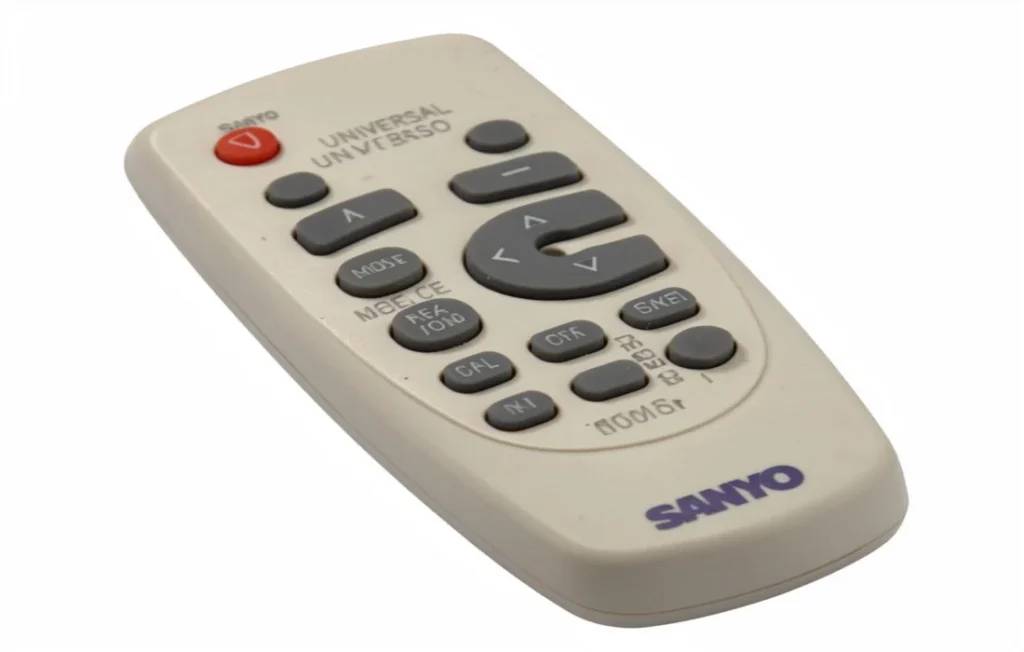
Finding the right code is the most critical step. Below are extensive lists of Sanyo TV remote codes. We have organized them by the number of digits required by your universal remote. It’s a good idea to write down the working code for future reference.
3Digit Sanyo Universal Remote Codes
| 000 | 004 | 007 | 011 | 012 |
| 017 | 020 | 021 | 031 | 036 |
| 038 | 039 | 042 | 048 | 049 |
| 050 | 052 | 053 | 056 | 057 |
| 063 | 072 | 073 | 077 | 080 |
| 081 | 082 | 089 | 090 | 097 |
| 099 | 104 | 107 | 108 | 110 |
| 146 | 147 | 154 | 157 | 159 |
| 162 | 166 | 169 | 173 | 180 |
| 181 | 184 | 187 | 208 | 232 |
| 239 | 252 | 266 | 268 | 353 |
| 355 | 356 | 376 | 387 | 471 |
| 500 | 511 | 514 | 517 | 528 |
| 533 | 535 | 542 | 589 | 590 |
| 601 | 611 | 621 | 627 | 645 |
| 651 | 652 | 656 | 657 | 661 |
| 674 | 683 | 720 | 722 | 726 |
| 750 | 761 | 781 | 818 | 840 |
| 897 |
4Digit Sanyo Universal Remote Codes
| 0001 | 0002 | 0004 | 0009 | 0011 |
| 0012 | 0027 | 0031 | 0036 | 0037 |
| 0038 | 0049 | 0051 | 0054 | 0064 |
| 0074 | 0081 | 0088 | 0091 | 0097 |
| 0108 | 0110 | 0121 | 0135 | 0154 |
| 0157 | 0163 | 0170 | 0178 | 0180 |
| 0208 | 0217 | 0243 | 0244 | 0264 |
| 0268 | 0292 | 0311 | 0319 | 0339 |
| 0341 | 0370 | 0373 | 0397 | 0412 |
| 0486 | 0506 | 0508 | 0556 | 0706 |
| 0709 | 0735 | 0799 | 0801 | 0885 |
| 0893 | 1004 | 1008 | 1014 | 1025 |
| 1037 | 1041 | 1042 | 1043 | 1047 |
| 1048 | 1049 | 1051 | 1052 | 1062 |
| 1068 | 1073 | 1078 | 1080 | 1089 |
| 1095 | 1097 | 1098 | 1107 | 1109 |
| 1121 | 1142 | 1149 | 1161 | 1163 |
| 1196 | 1204 | 1208 | 1228 | 1257 |
| 1261 | 1276 | 1288 | 1301 | 1346 |
| 1362 | 1365 | 1371 | 1391 | 1454 |
| 1480 | 1507 | 1531 | 1564 | 1581 |
| 1585 | 1588 | 1621 | 1645 | 1647 |
| 1649 | 1652 | 1667 | 1718 | 1741 |
| 1756 | 1785 | 1911 | 2049 | 2121 |
| 2279 | 2360 | 2434 | 2461 | 2511 |
| 2676 | 2871 | 2881 | 2891 | 2981 |
| 2991 | 3051 | 3096 | 3183 | 3481 |
| 3488 | 3697 | 3715 | 3861 | 3864 |
| 3866 | 3921 | 4024 | 4168 | 4398 |
| 4667 | 4740 | 5001 | 5014 | 5018 |
| 5022 | 5029 | 5032 | 5034 | 5038 |
| 5052 | 5139 | 5241 | 5251 | 5261 |
| 5430 | 6171 |
5Digit Sanyo Universal Remote Codes
| 10005 | 10036 | 10037 | 10054 | 10088 |
| 10107 | 10146 | 10154 | 10159 | 10232 |
| 10250 | 10484 | 10631 | 10650 | 10663 |
| 10706 | 10735 | 10798 | 10799 | 10815 |
| 10885 | 10893 | 10929 | 11142 | 11362 |
| 11454 | 11480 | 11514 | 11564 | 11612 |
| 11756 | 11764 | 11780 | 11785 | 11818 |
| 11907 | 12049 | 12253 | 12264 | 12284 |
| 12360 | 12434 | 12653 | 12878 | 13001 |
| 13183 | 13419 | 13488 | 13547 | 13577 |
| 14398 | 14675 | 14972 | 15545 | 15953 |
| 16513 | 17415 | 17560 | 18924 | 19332 |
| 19617 | 19655 | 19740 |
BrandSpecific Remote Codes for Sanyo TVs
Some universal remotes work better with codes tailored for their brand. Here are lists for two of the most popular universal remote brands GE and RCA.
GE Universal Remote Codes for Sanyo TV
| 0004 | 0012 | 0049 | 0081 | 0097 |
| 0108 | 0110 | 0180 | 0268 | 5001 |
| 5014 | 5018 | 5022 | 5029 | 5032 |
| 5034 | 5038 | 5052 | 5055 | 5089 |
| 5118 | 5138 | 5139 | 5151 | 5191 |
| 5224 | 5233 | 5234 | 5407 | 5412 |
| 5430 |
RCA Universal Remote Codes for Sanyo TV
| 004 | 017 | 021 | 039 | 048 |
| 049 | 052 | 056 | 057 | 058 |
| 073 | 077 | 080 | 089 | 107 |
| 162 | 169 | 180 | 196 | 706 |
| 799 | 885 | 893 | 1142 | 1362 |
| 1480 | 154 | 1756 | 2049 | 2434 |
| 3183 | 3488 | 3697 | 3861 | 4398 |
| 10054 | 10885 | 11142 | 11362 | 11480 |
| 11564 | 11756 | 11785 | 12049 | 12434 |
| 13183 | 13488 | 14398 |
Frequently Asked Questions
Here are answers to some common questions about using universal remotes with Sanyo TVs.
What if none of the codes work for my Sanyo TV?
If you have tried several codes from the list without success don’t worry. First doublecheck that you are following the programming steps correctly. A simple mistake can prevent the remote from syncing. If the manual method fails use the automatic code search feature. This method is highly effective and almost always finds a working code.
How do I program a universal remote to a Sanyo TV without a code?
The automatic code search method is designed for this exact situation. By following the autosearch steps outlined earlier in this guide your remote will cycle through all possible codes until it finds the one that operates your Sanyo TV.
Can I use my smartphone as a remote for my Sanyo TV?
If you have a Sanyo Smart TV you may be able to use a smartphone app. Many smart TVs have corresponding apps that allow your phone to function as a remote control over your WiFi network. Check the Google Play Store or Apple App Store for a Sanyo TV remote app. For older non smart models this is not an option unless your phone has a built in infrared (IR) blaster.
Why did my universal remote stop working?
A universal remote can stop working for a few reasons. The most common cause is dead batteries so always try replacing them first. If that doesn’t work the remote may have lost its programming. This can sometimes happen after dropping the remote or changing the batteries. Simply repeat the programming process to sync it with your TV again.
Conclusion
Using a universal remote is a convenient way to control your Sanyo television and other home entertainment devices. With the right Sanyo universal remote codes and a little patience you can program your remote in minutes. Whether you use the manual code entry or the autosearch method this guide provides all the information you need to get your system up and running smoothly. Keep this guide handy and you’ll never have to search for codes again.

Sid is a skilled content writer with over 9 years of experience, creating clear and helpful articles on a wide range of topics. Sid is also well-known for her knowledge of remote controls, codes, and setup guides, helping thousands of people with simple and reliable solutions. Her goal is to combine expert content writing with practical knowledge, making information easy to understand and useful for everyone. In her free time, she enjoys exploring new technology and sharing helpful tips with the community.
